

Library Files
What's on this page
About Library Files
You can use the library to store and manage any non-image files you’ve uploaded to Qualtrics. For example, you could store security or consent forms for respondents to view or download during your survey. These files can be attached to a survey for respondents to download or they can be stored in your library for future use. You can upload non-executable files up to 16 MB in size.
Qtip: For uploading file sizes larger than 16 MB, consider hosting files outside of Qualtrics and inserting them into a question; see the Insert Media page for more details.

Adding a File
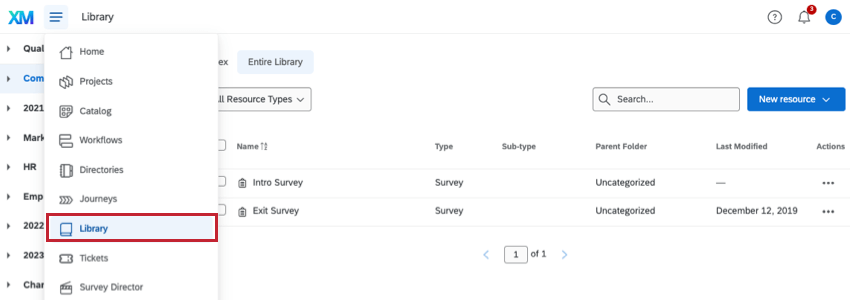
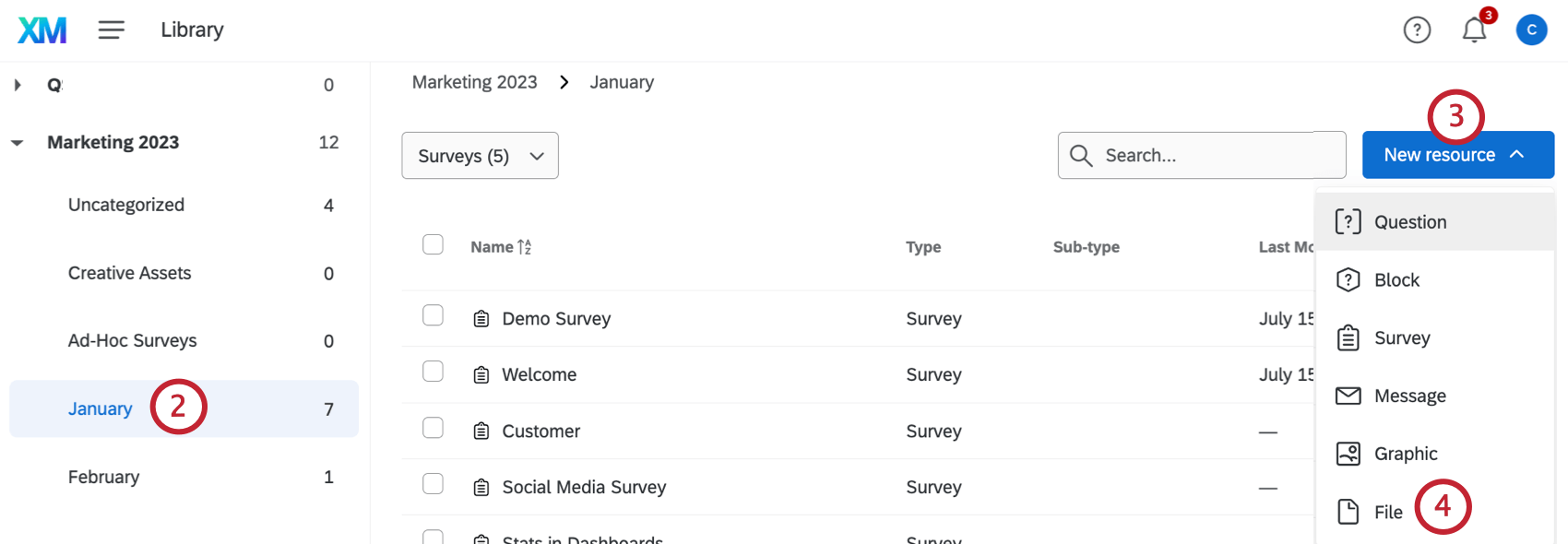
Qtip: For help accessing group libraries, please contact your Brand Administrator as they are the only ones who can edit or create groups.
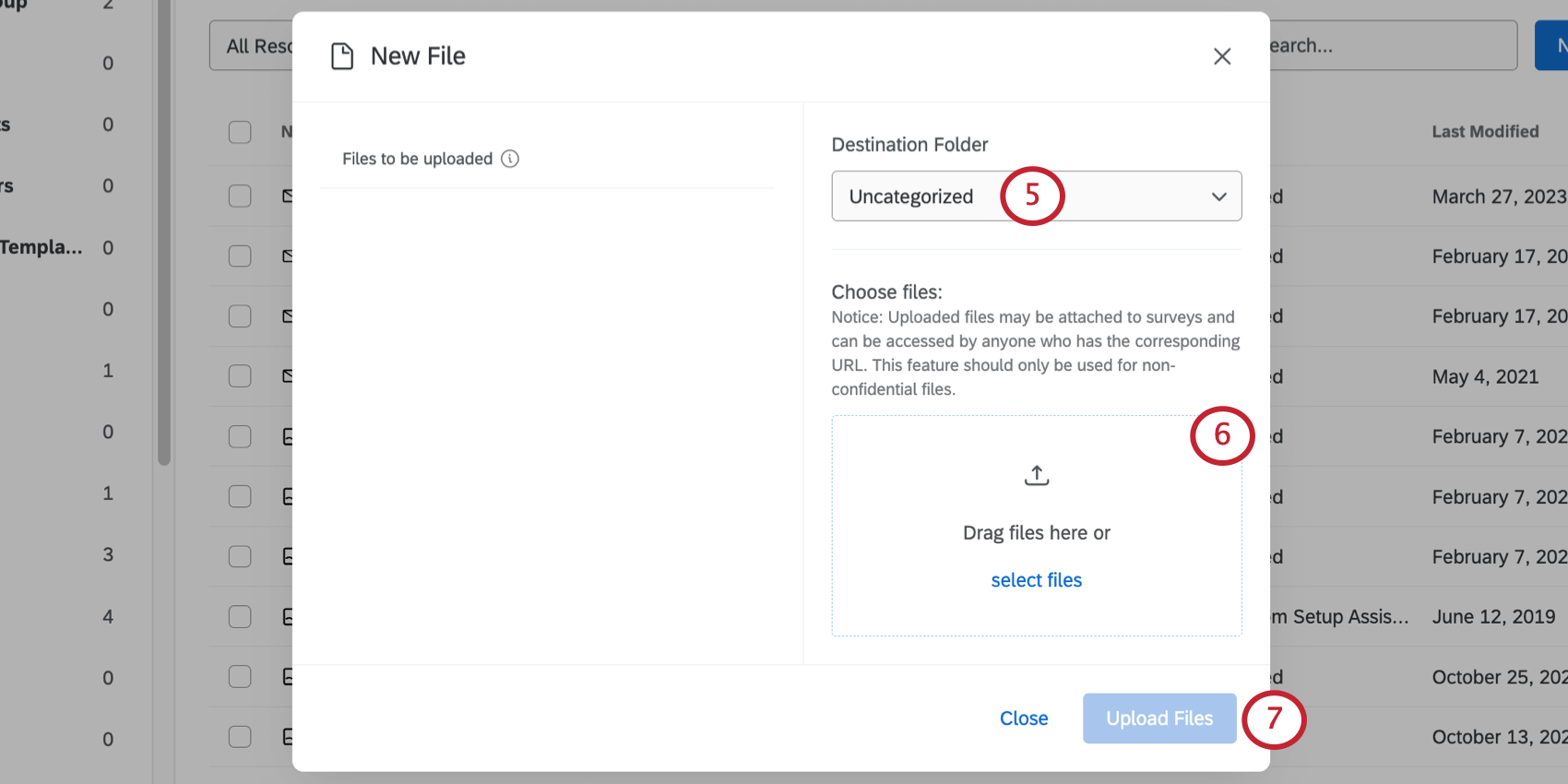
Attention: Uploaded files may be attached to a survey, then accessed by anyone with the survey URL. You should only upload files that are not confidential.

Copying Files From Your Library to a Group Library
See Copying Content From Your Library to a Group Library for instructions on how to copy graphics from your library to a group library.
Files Options
See Library Options for information on the resource item menu.
File Types
There are many types of files you can upload. Depending on the type, your file will be sorted into one of eight categories:
- PDF:PDF files.
- DOC: Word files.
- XLS: Excel files (note that CSV files go in the Other category).
- TXT: Text files.
- Audio: Files in audio format (MP3, WAV, etc.).
- Video: Files in video format (MP4, MOV, FLV, etc.).
- Image: Files in image format (JPG or JPEG, PNG, GIF).
- Other: Files in any format other than the ones above.
Using a Library File
Qtip: When you import a document file into your survey, a link is inserted into the text that respondents can click on to download the file.
See Insert Media for instructions on how to add these files to your surveys.
FAQs
What is the max file size I can upload to my Library?
What is the max file size I can upload to my Library?
Why are some of the file type options grayed out in the Files Library?
Why are some of the file type options grayed out in the Files Library?
That's great! Thank you for your feedback!
Thank you for your feedback!